Home

B-Care

An after-school childcare booking website/app aimed at busy parents or childcare providers.

This is a project I completed during Google’s UX Design course.
Client

Personal project

Project duration:

02/2025 – 10/2025

Platform

Mobile application & Website

Role
UX designer, UI Designer

Overview

Understanding the user

Summary

I conducted a user survey by interviewing.
The results I got were surprising with the common wishes of parents for a reputable childcare platform, flexible when registering. And there are also specific needs for child pick-up times, optimized according to the parents’ schedules.
My assumption before the survey was that the application did not have too many features. But I saw many different needs of users after the interview.

Pain points


Complicated registration

It is frustrating that the process is quite complicated, has a lot of paperwork and takes time.


Payment is not flexible

Require monthly payments instead of daily or hourly. Not many different payment methods


Reliability

Users have not identified a highly reliable childcare provider. Lack of reviews from other users.


Busy with work

Worry when there is no time or when something unexpected happens and you cannot pick up and take care of your child.

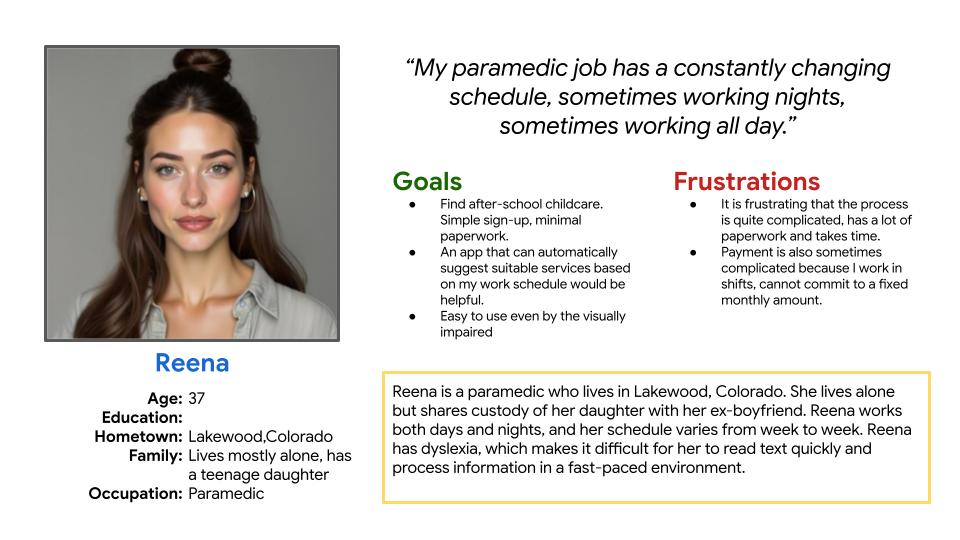
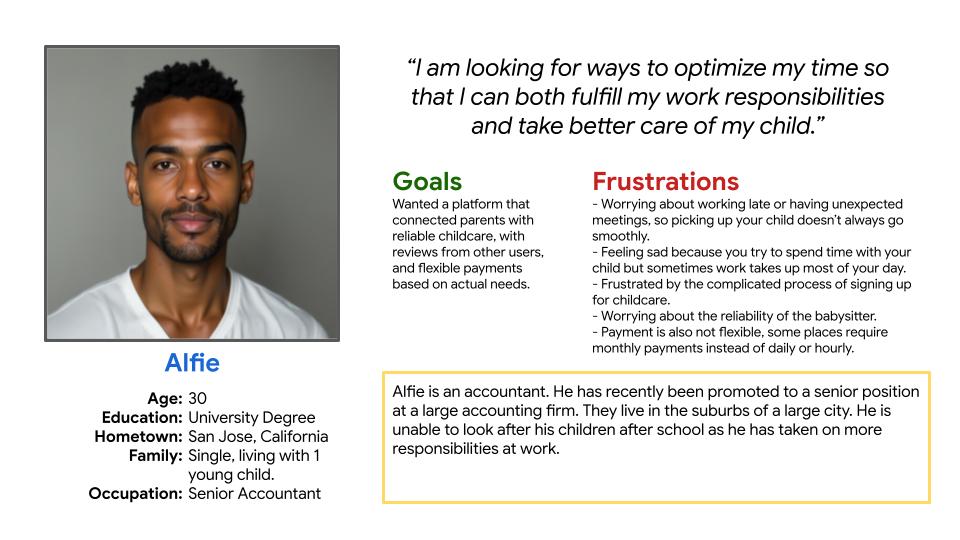
User Persona

Problem statement:

Reena is a paramedic with a changing schedule who needed an app that was optimal for accessibility and ease of use to book after-school childcare as she is dyslexic.

Problem statement:

Alfie is a busy accounting professional who needs an after school childcare app that allows for trustworthiness checks and child pick up assistance, as he is too busy to pick up his kids.

Starting the design

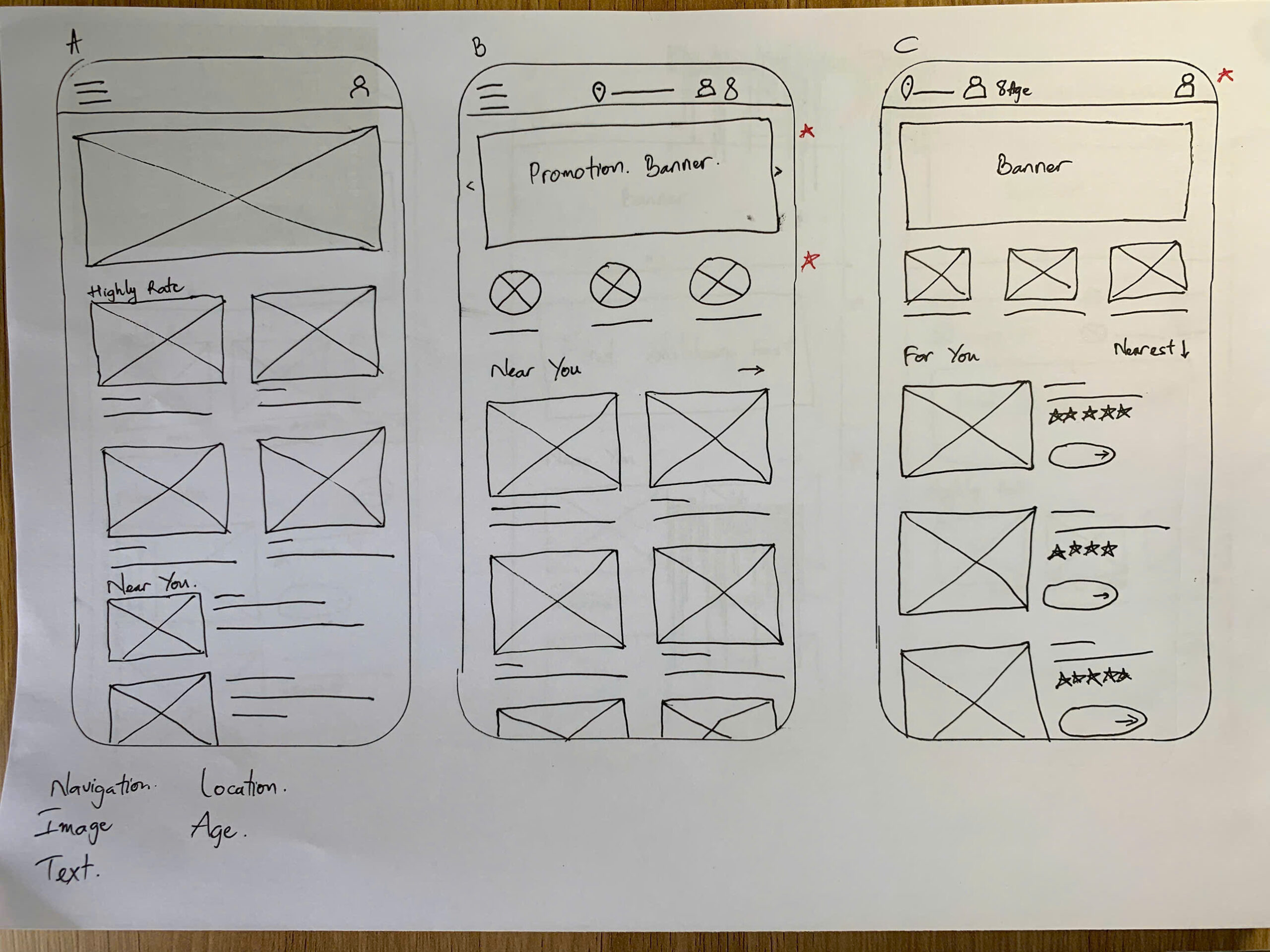
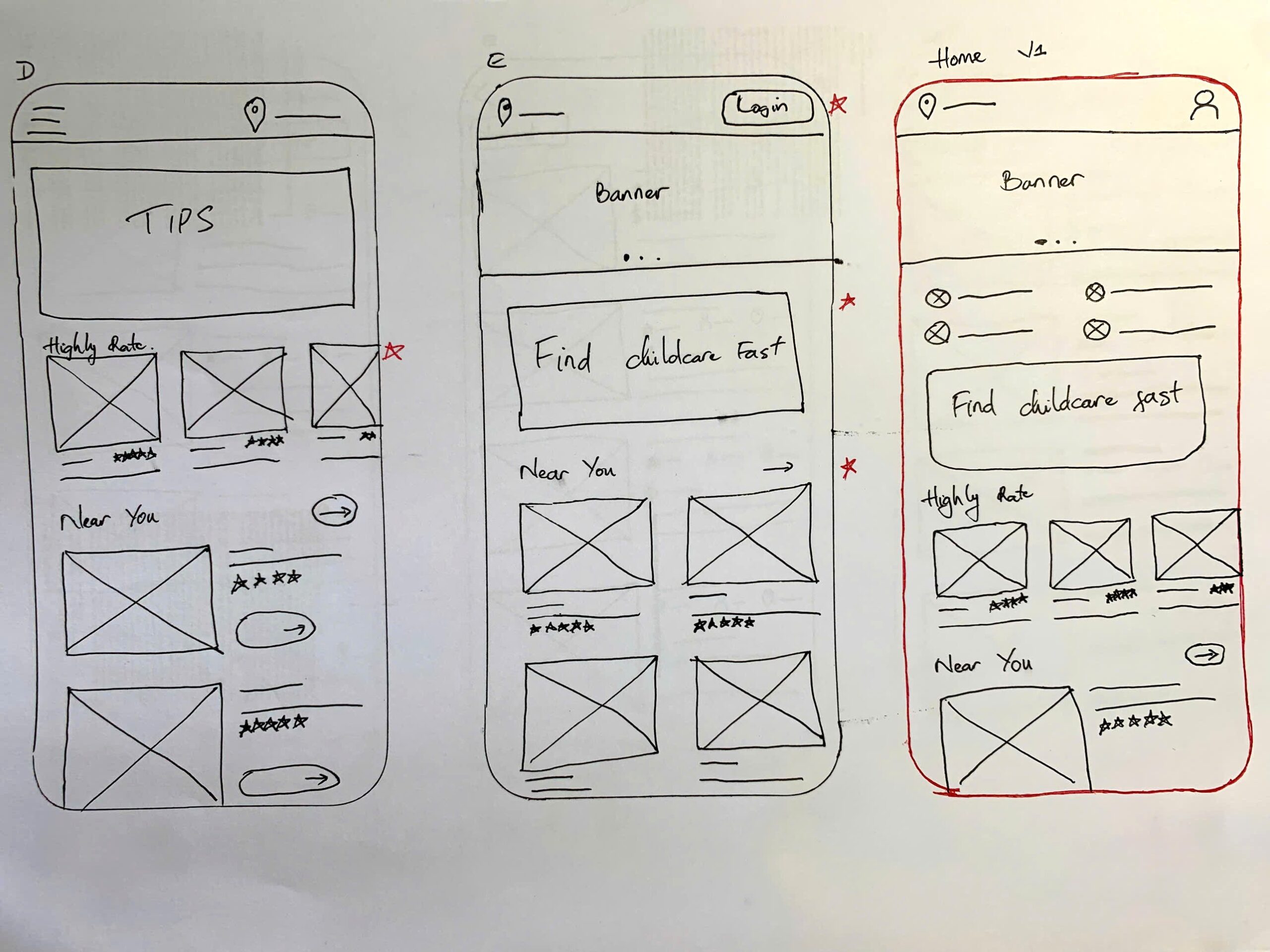
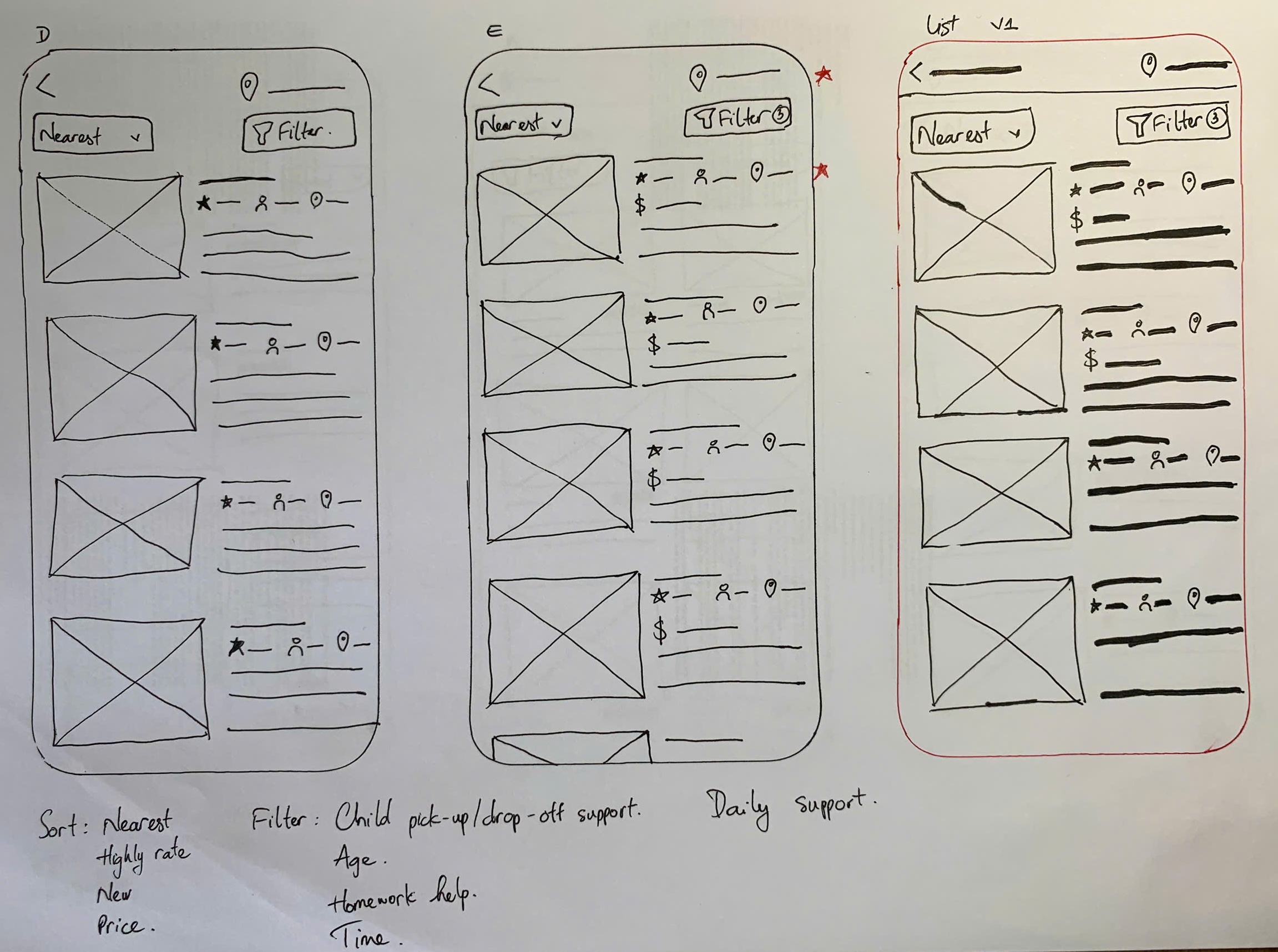
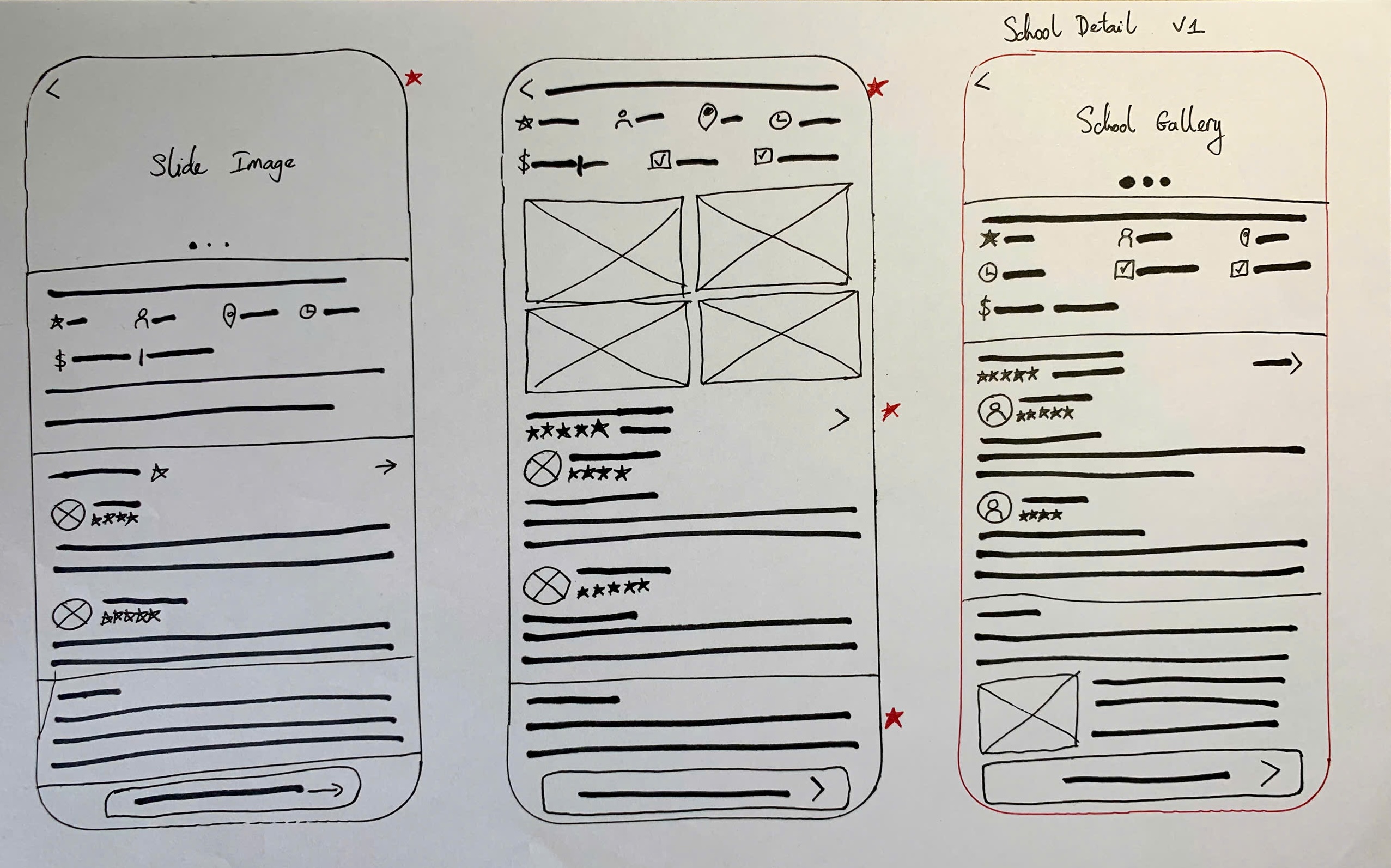
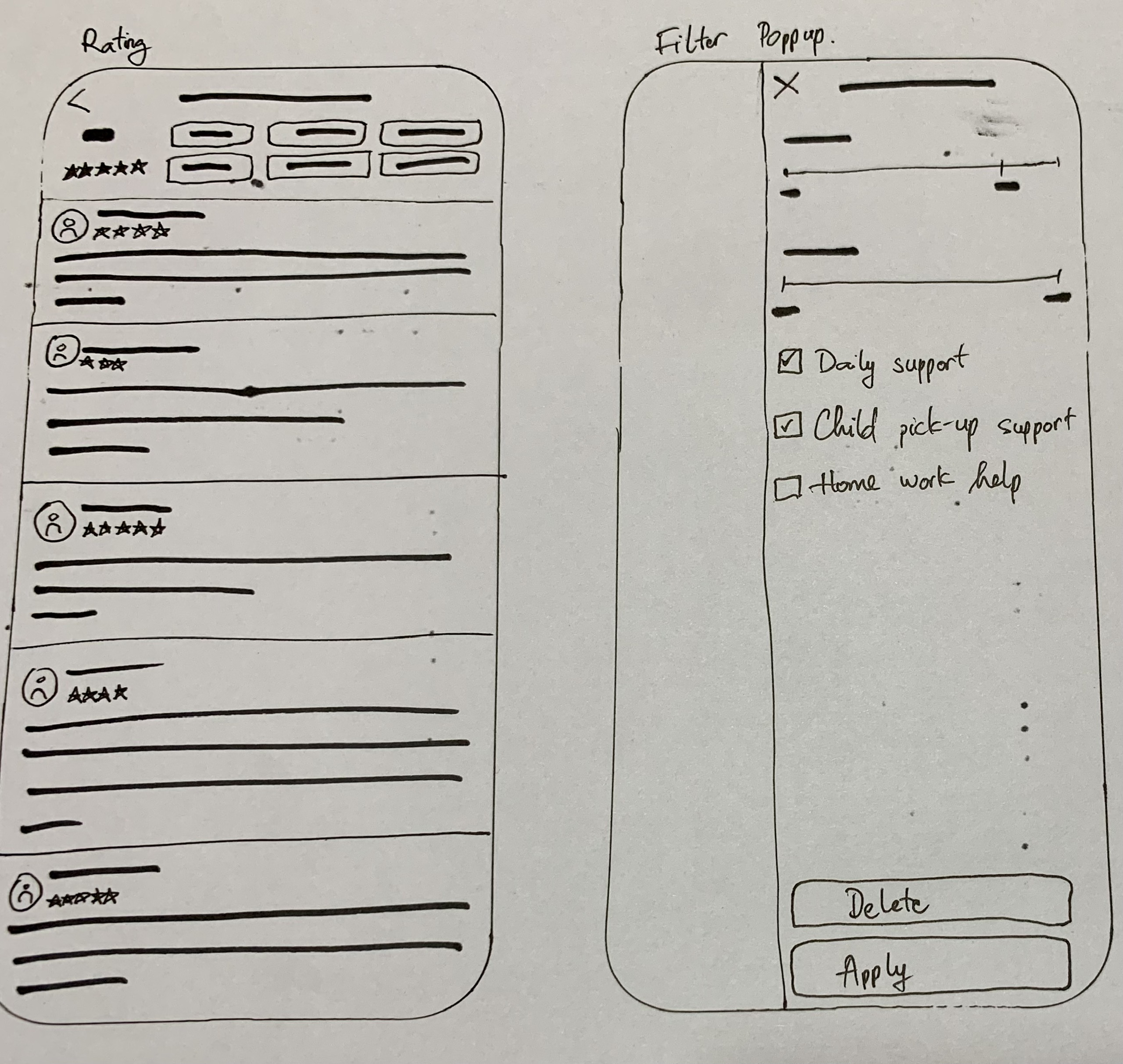
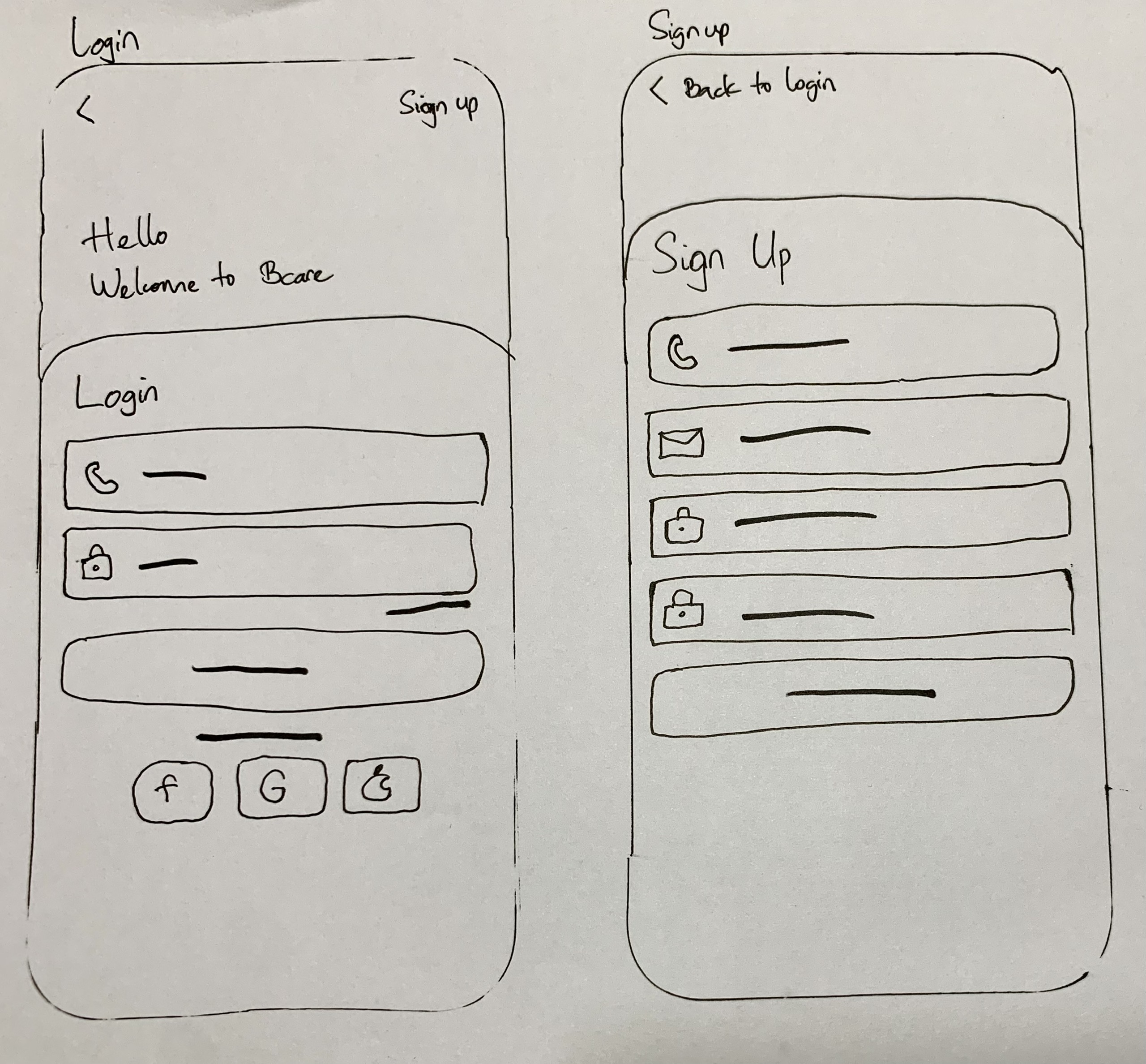
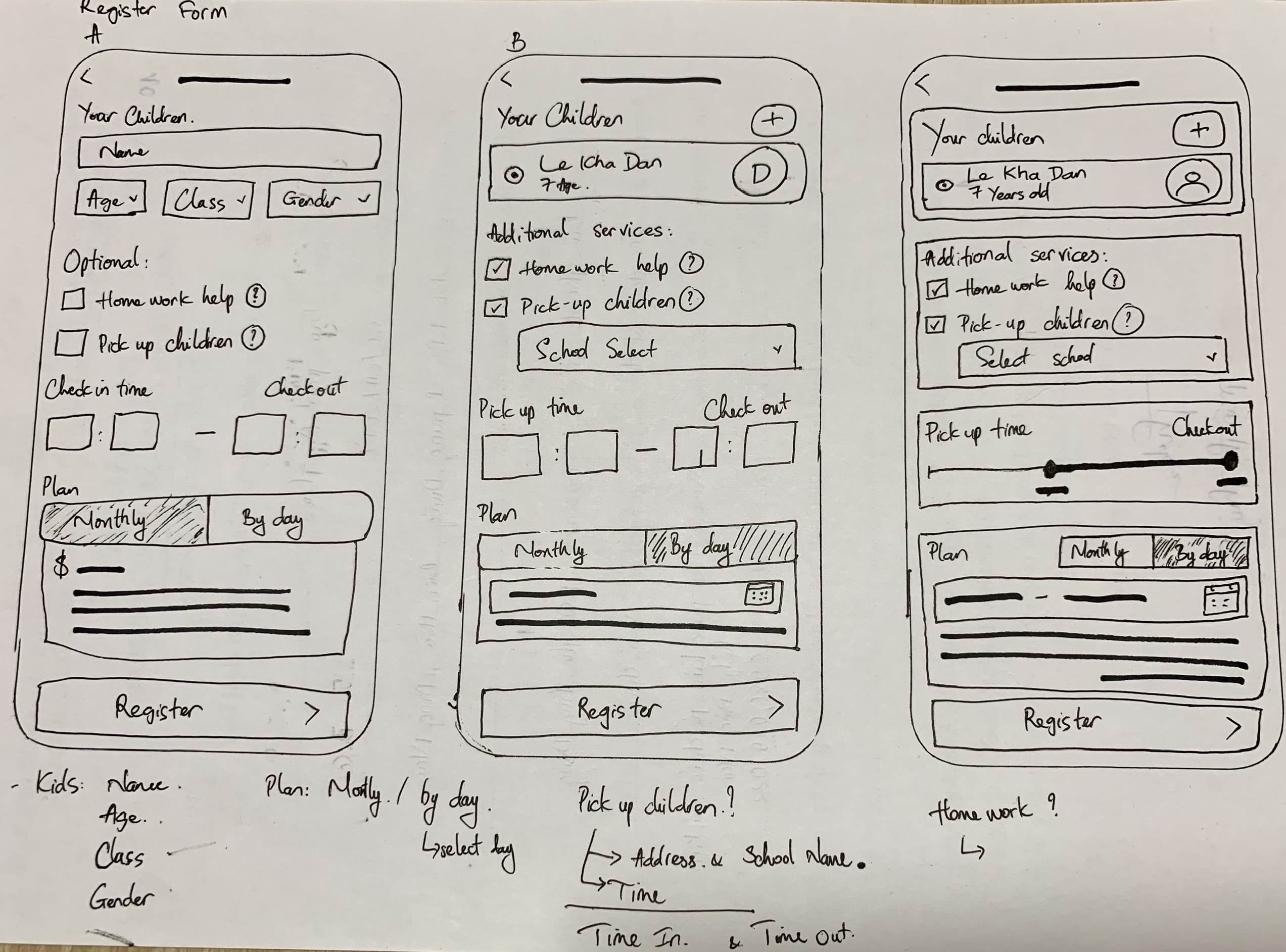
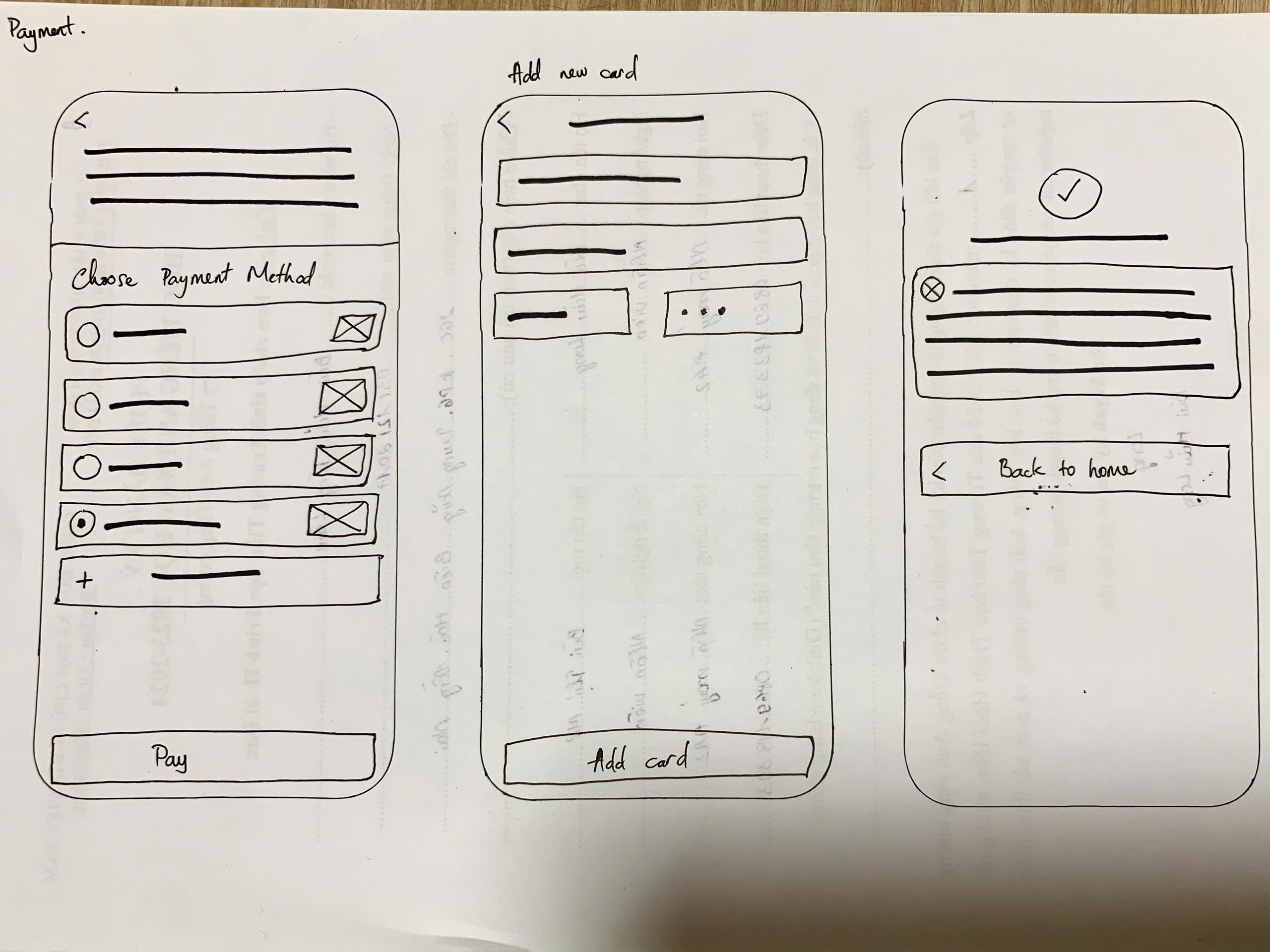
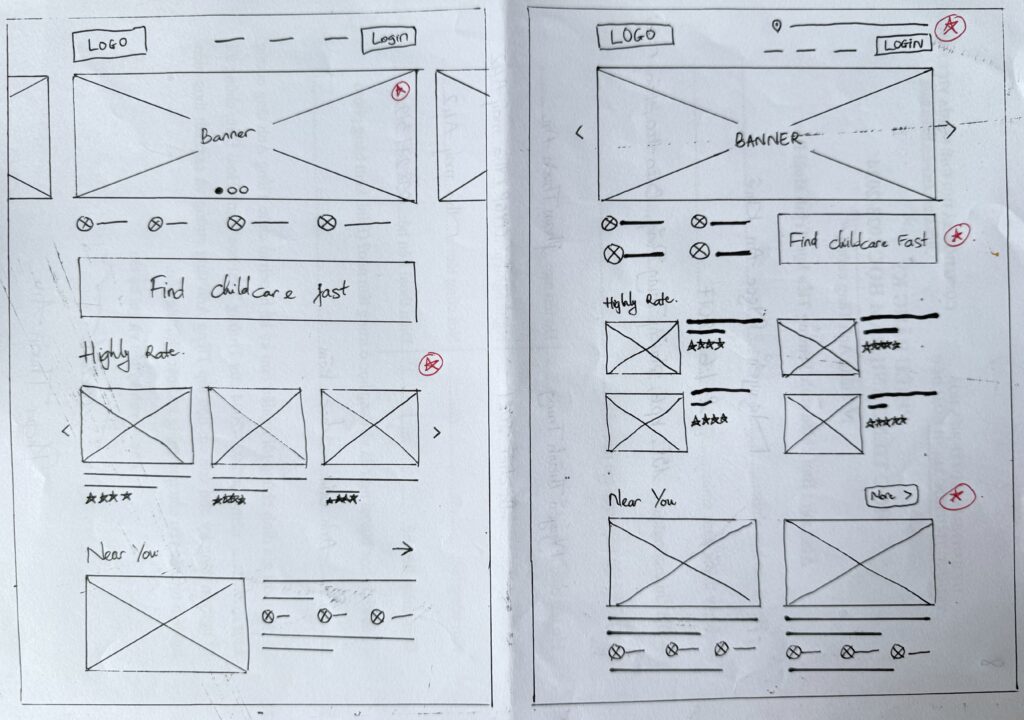
Paper wireframes

I designed the mobile app first because most users use mobile phones to book childcare appointments.

I sketched out multiple ideas on paper for each screen to ensure that the elements included in the digital wireframe would be relevant to solving user pain points. For the home screen, I prioritized a quick, easy booking process to save users time, combined with an introduction to the main services the app offers.

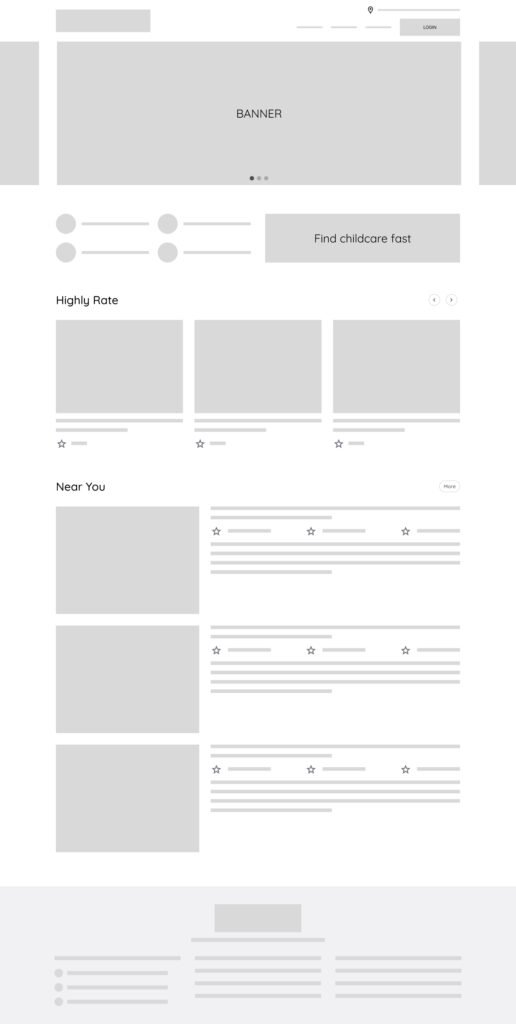
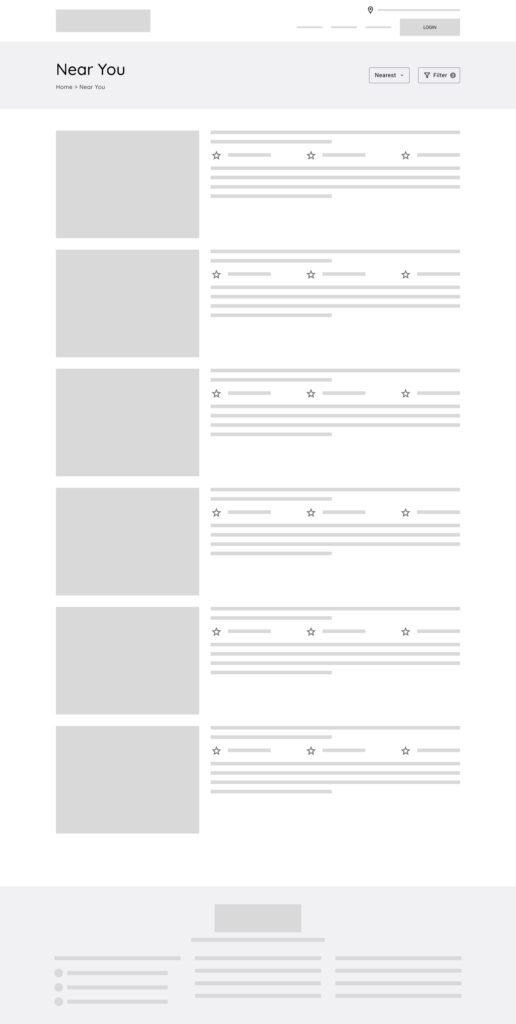
Digital wireframes

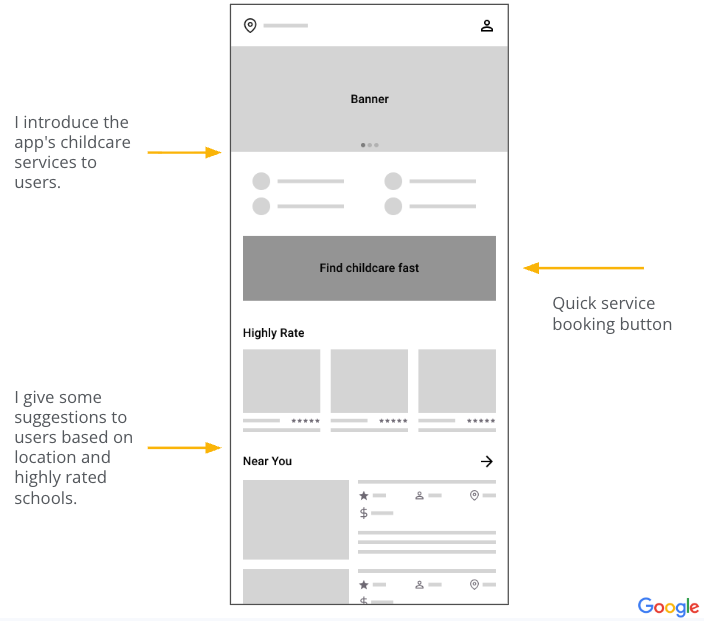
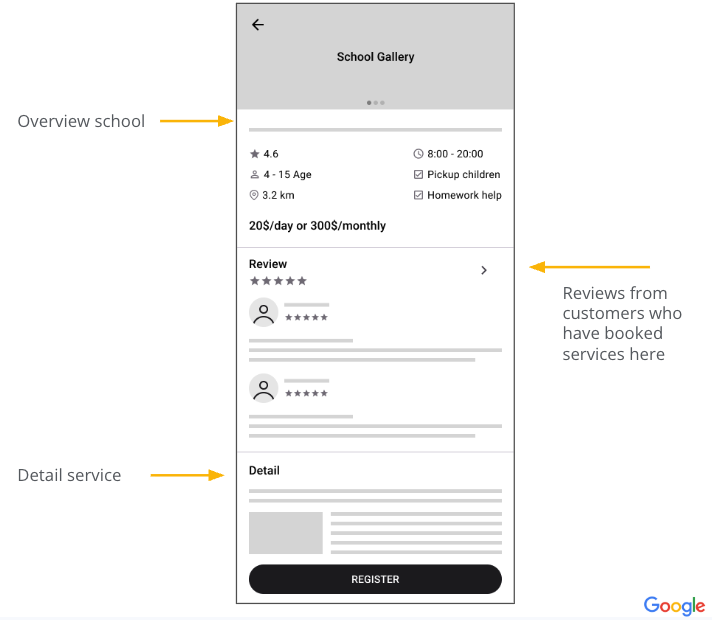
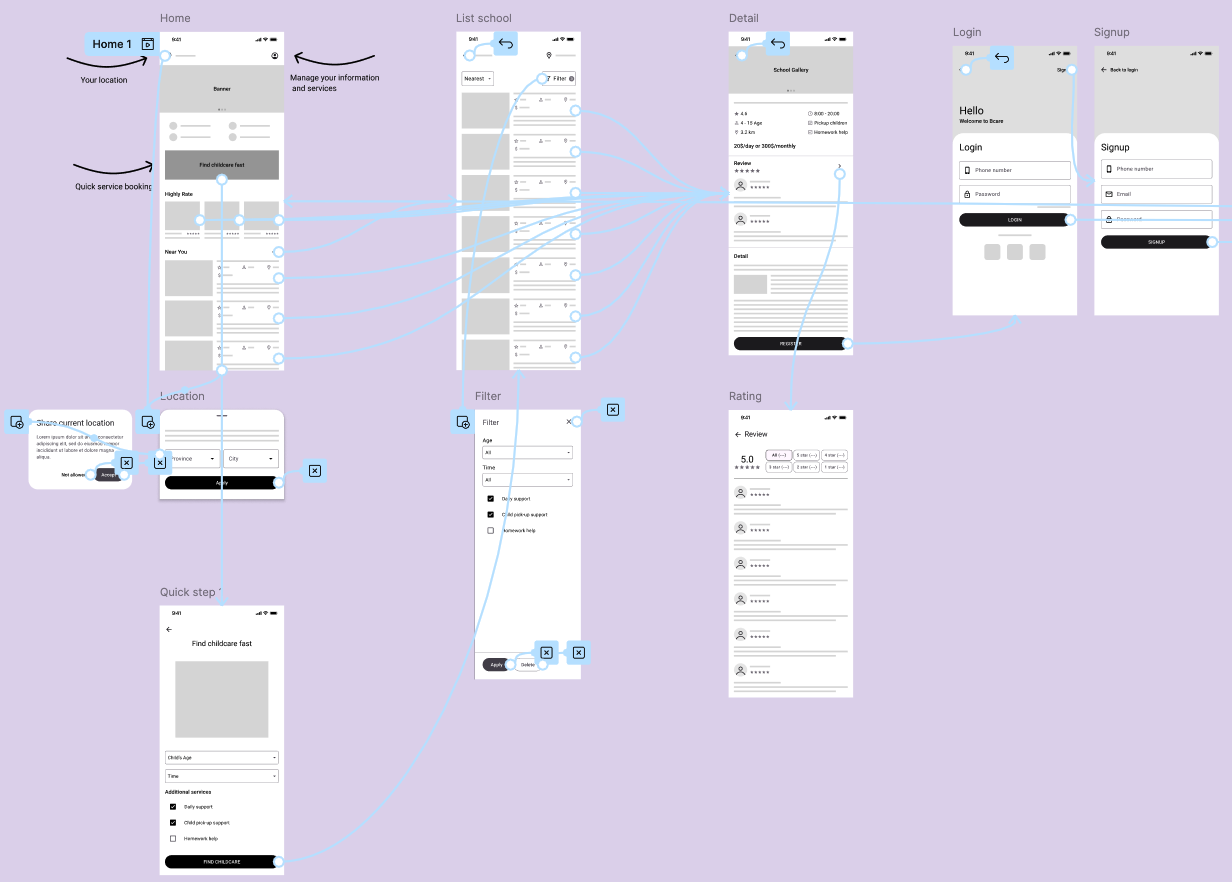
Once I was happy with the paper wireframes, I used Figma to convert them into digital wireframes.
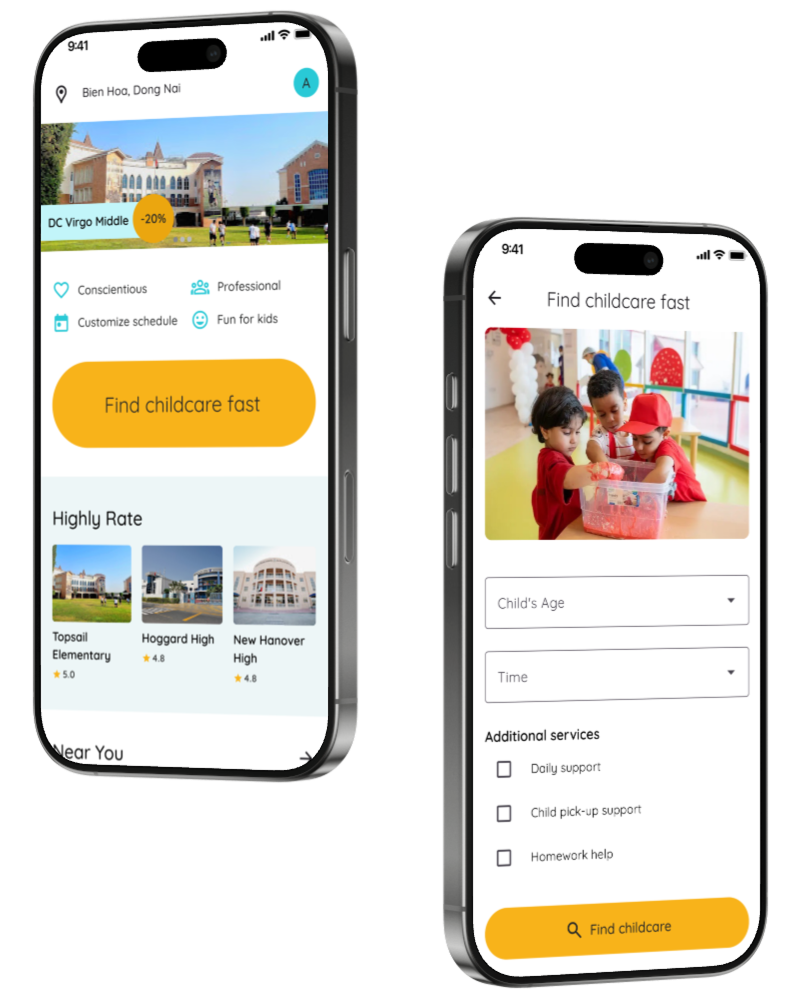
This is the home page of the B-Care app, which introduces after-school childcare services and makes it easy for parents to book services.

I want parents to have a clear understanding of where they will sign up for after-school care. I show real pictures and details of the services. Parents can refer to reviews from other users before making a decision to sign up.

Low-fidelity prototype

Low fidelity prototype for childcare booking functionality to test usability, user flow with core product functionality.

Prototype link

Usability study

Round 1 findings
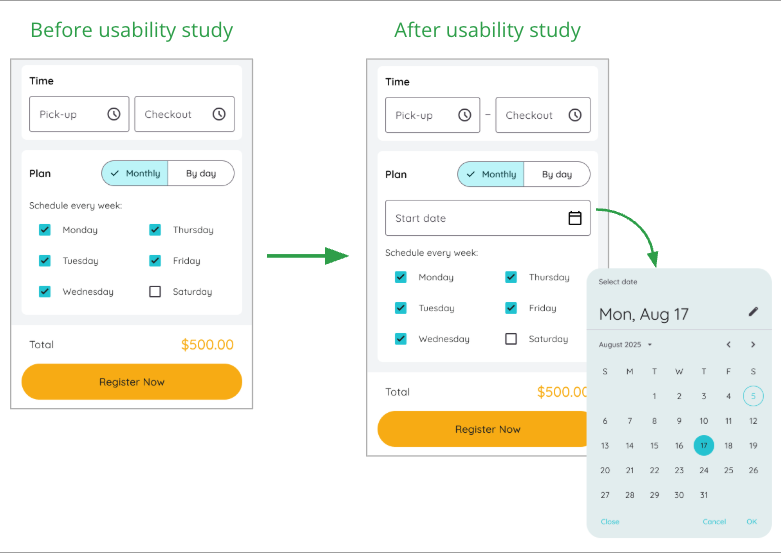
  1. User wants to schedule days of the week
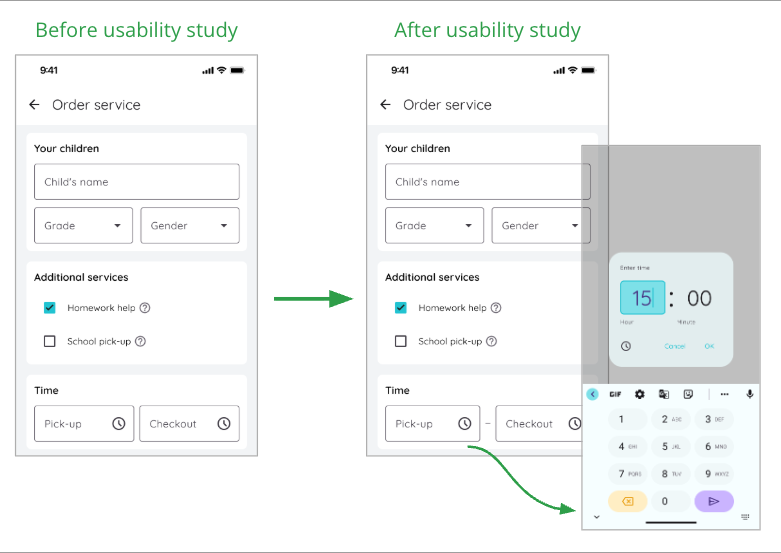
  2. Users need clear titles and instructions
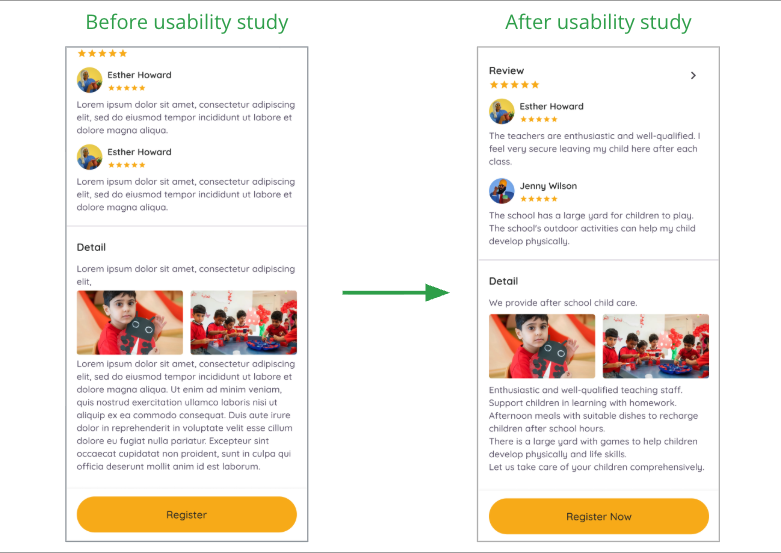
  3. Users want more information and reviews
Round 2 findings
  1. Users want to interact on select and text fields.
  2. Users need more realistic looking information instead of placeholders.
  3. Users need to select a date to start the childcare schedule.

Refining the design

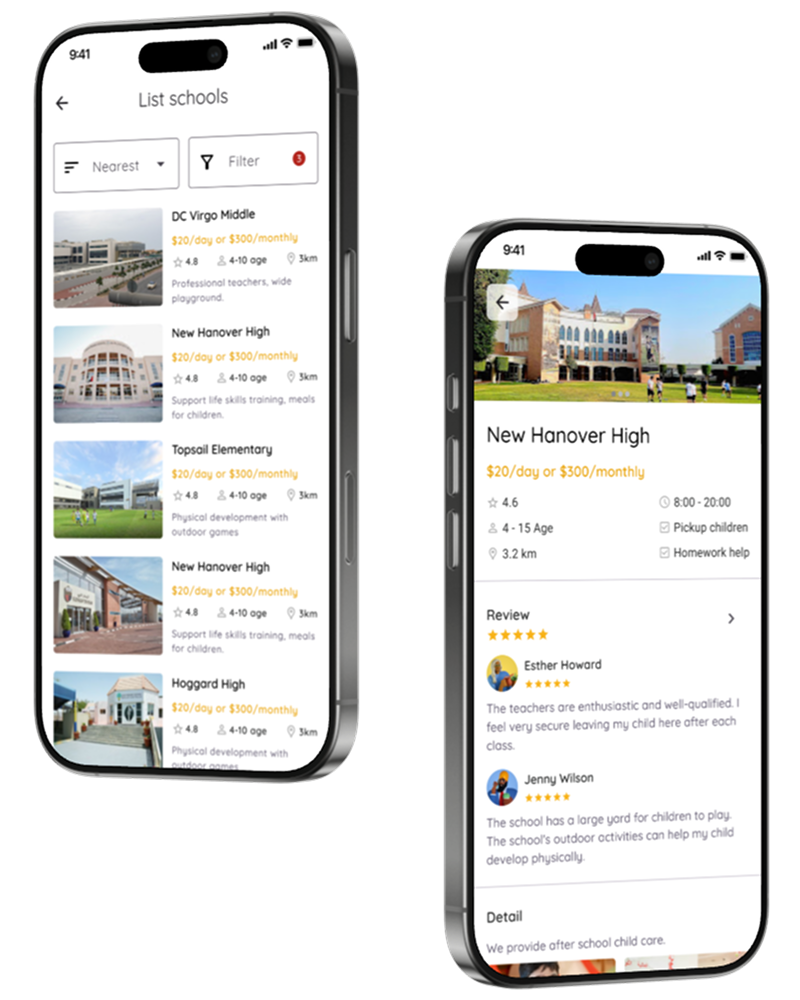
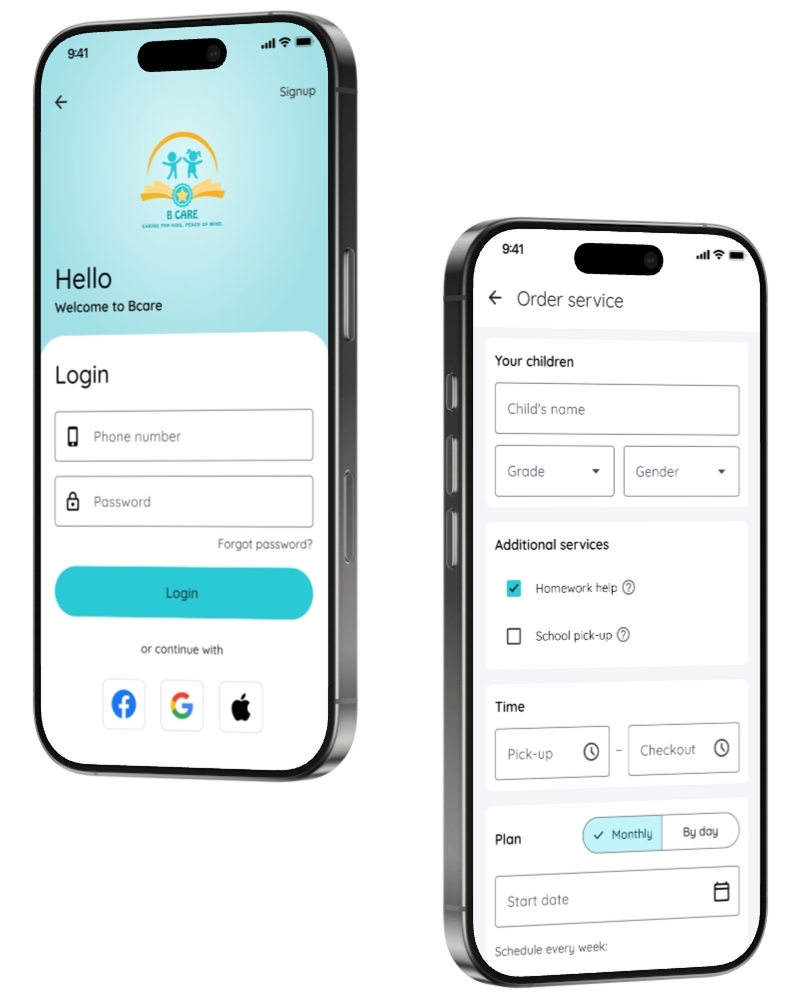
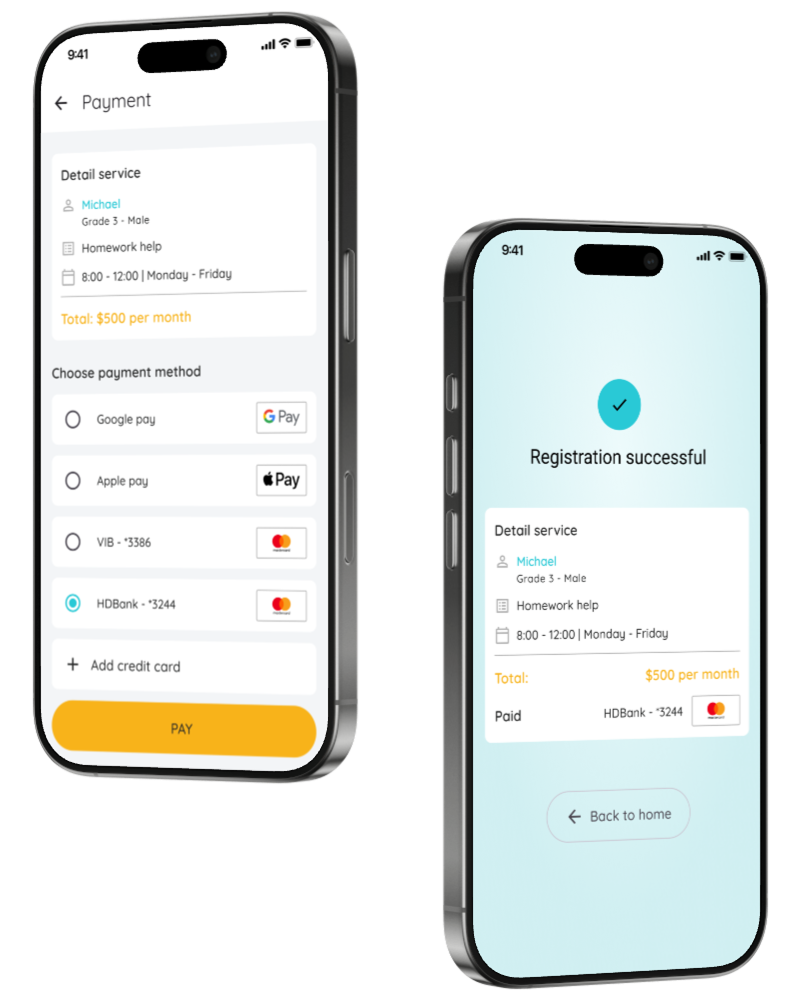
Mockup

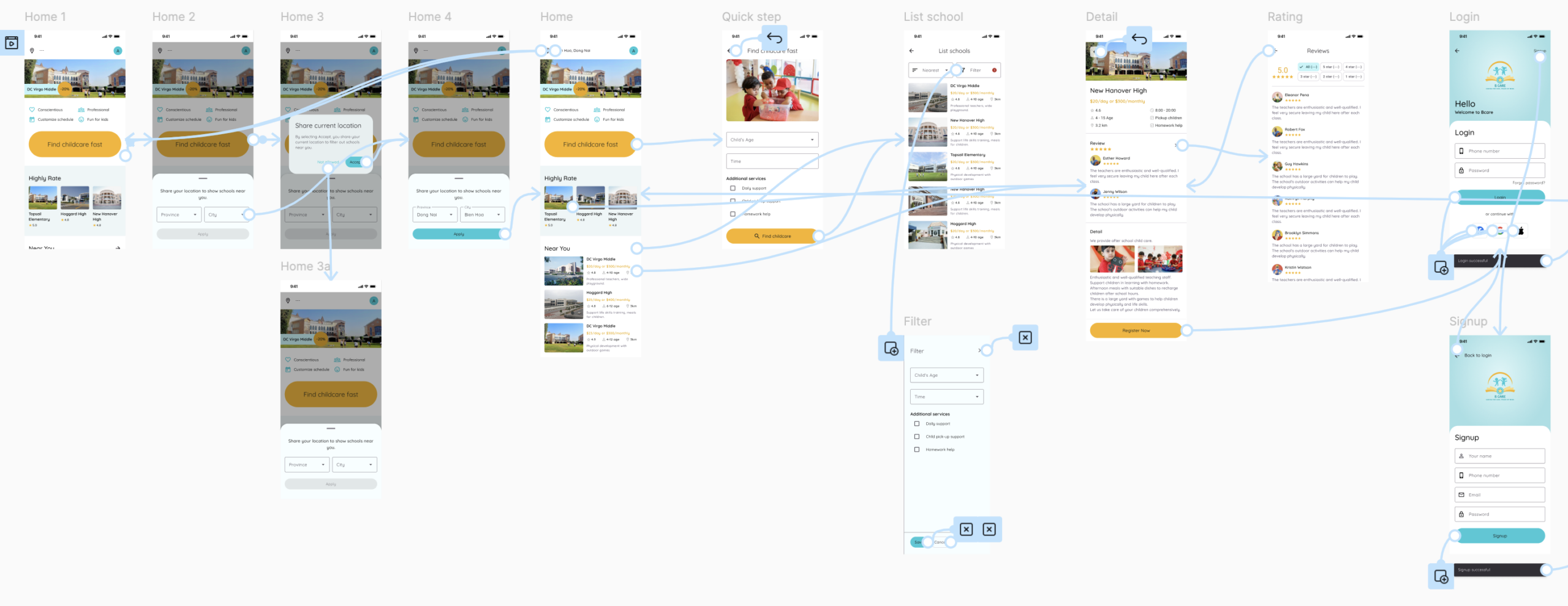
High-fidelity prototype

Accessibility considerations
  • Users can swipe on the left edge of the phone or press the back button to return to the previous screen.
  • Transitions with a duration of only 300ms will not annoy users.
Link to high-fidelity prototype

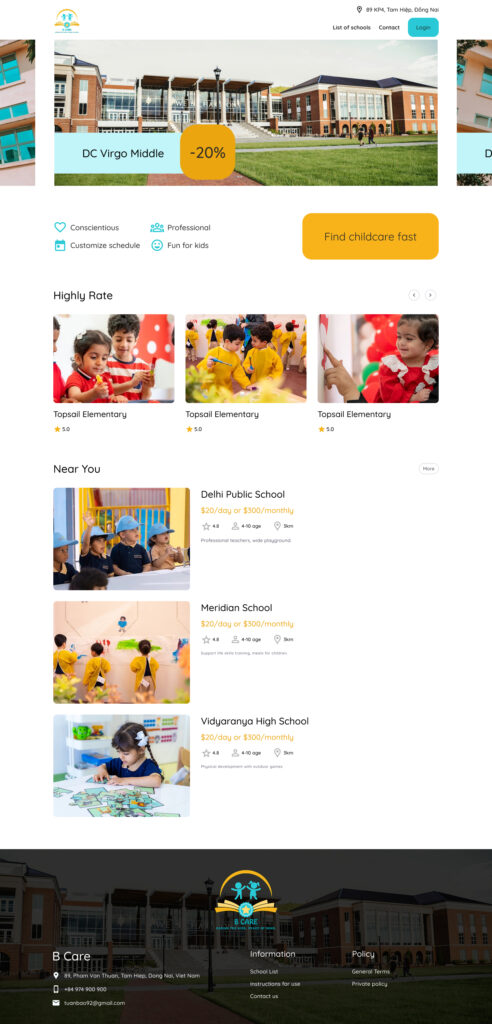
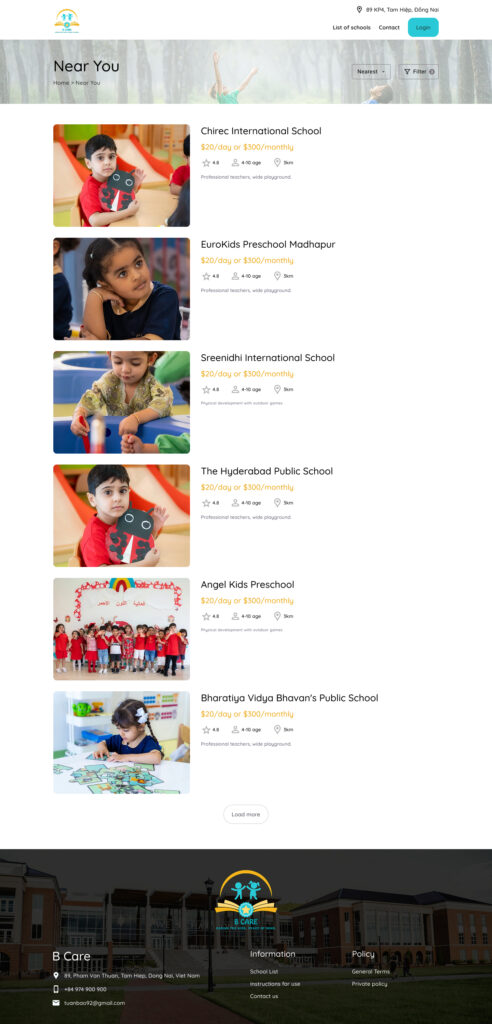
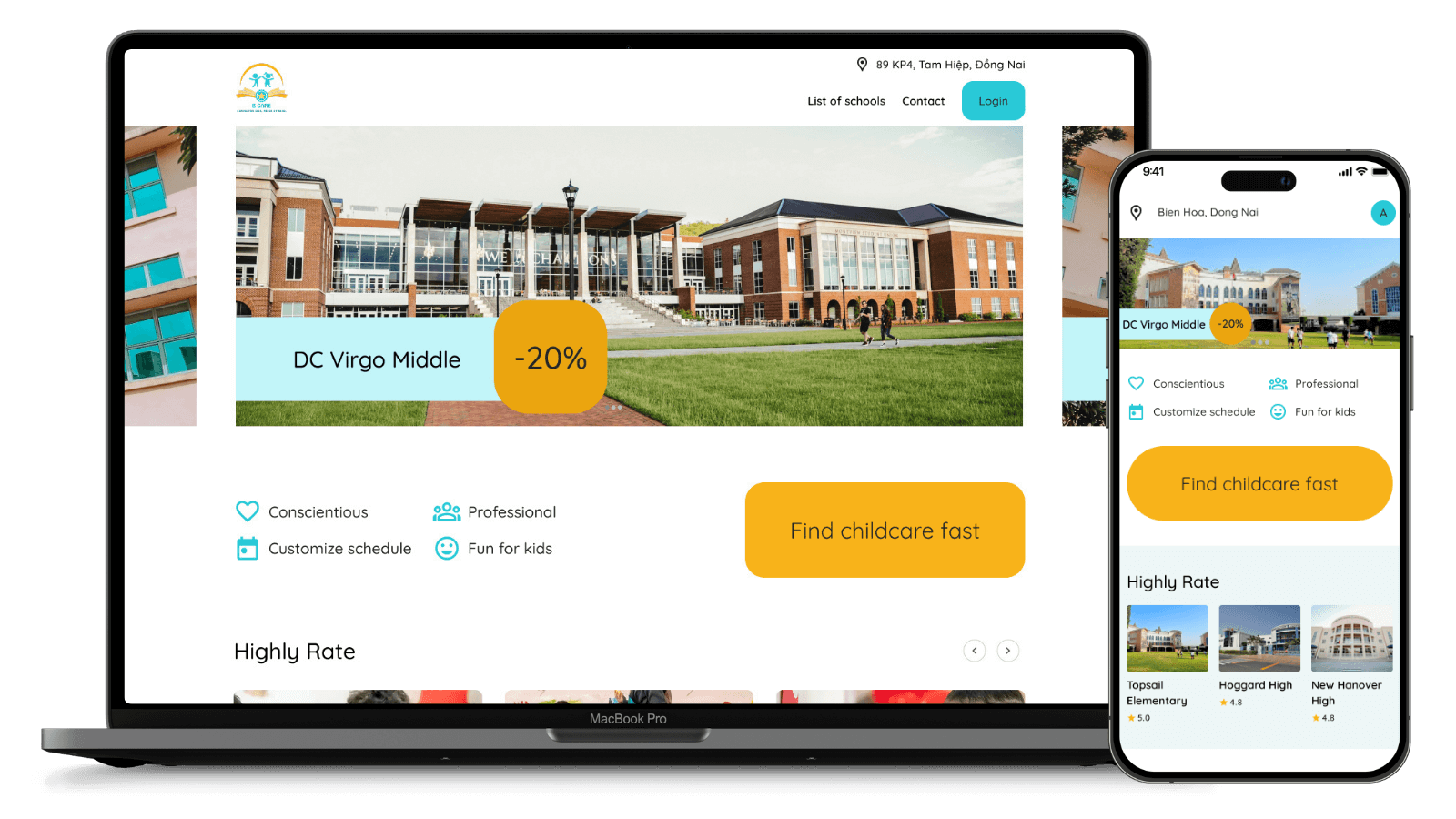
Website version

After completing the mobile app version, I started designing the website version.

Takeaways


Impact:
  • I tried the B-Care app to schedule childcare. Although this is a course project, if it works in practice, I will use it regularly to find a caregiver for my child when I’m busy.
  • I’m not very good at using phone apps. But after trying B-Care, I was able to book childcare services. The app was easy for me to use.


What I learned:
  • The user is at the center of the design. Every design decision and solution aims to address the real needs of the user.
  • Usability testing and evaluation are crucial. This should be done throughout the entire process, from ideation to final design, to address user needs effectively and improve the design.